
Download Cube Solver

Scan the QR code with your phone or tablet to open the app store on that device.

QR code to download Cube Solver
Download on the App StoreGet it on Google Play

Cube Foundations

Learn the pieces and turns. Your cube stays scrambled.

Course progress

0%
Lessons completed
0 / 3
Time spent
0s

Your lessons

Follow each lesson in order and pick up where you left off.

Guided study
28m
Lessons completed
0 / 3
  1. 1Preparation · no solving yet

    Meet your cube
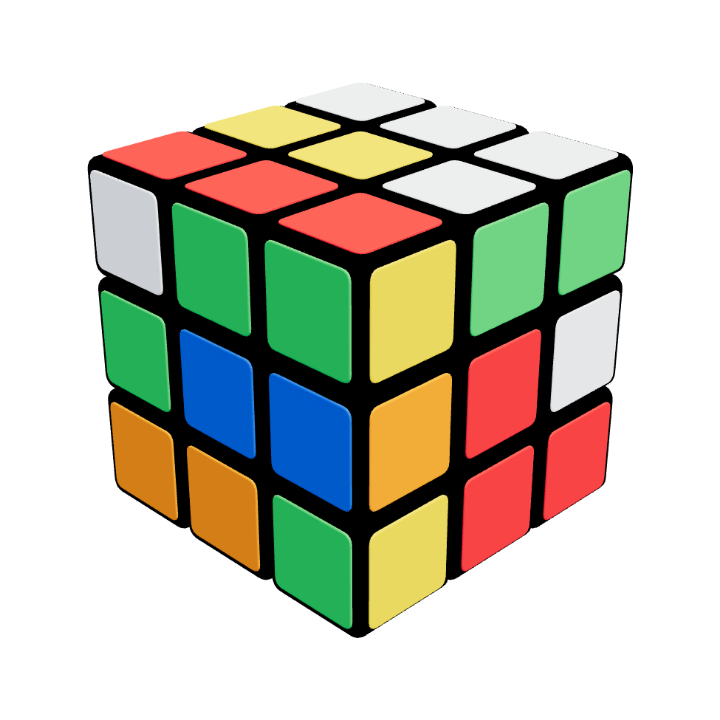
    Get to know the pieces. Find the centres, edges and corners. The aim of this lesson is to recognise the pieces, so your cube can stay scrambled.
  2. 2Preparation · no solving yet

    Read the notation and make a turn

    Return to the same scramble. Each move is followed by its inverse, so the cube returns to the scramble you started with. Here you practise turn notation. Solving begins in the 3×3 Beginner course.
  3. 3Preparation · no solving yet

    Learn the four-move trigger

    Return to the same scramble. Six complete triggers restore the scramble you started with. You have learned a turning routine; begin solving with the white edges in the 3×3 Beginner course.
Start the 3×3 Beginner course

Complete the foundations and get ready for your first solve!

0 / 3 lessons

Scan your cube

Scan the QR code with your phone to open Cube Solver, then use the app to scan your cube. Keep this page open while you scan.

Tap “Open scanner” to scan your cube in the app on this phone. Return to this browser for the solution.

  1. Open your phone’s camera.
  2. Scan the QR code.
  3. Follow the instructions in Cube Solver.
Open scanner
Connect another phone
  1. Open your phone’s camera.
  2. Scan the QR code.
  3. Follow the instructions in Cube Solver.
Waiting for your scan