
A yellow face, two solved lower layers, and all four top corners aligned with their side centres.
Yellow up. Put a completely solved side at the back by rotating the whole cube sideways.
1. Find a fully solved side
The corners are already in the right places. Inspect all four side faces for one whose top edge also matches its centre. That entire side will be a single colour.
Keep yellow up and rotate the whole cube sideways to put the solved side at the back. Turning U to move that side would take the aligned corners out of place.
2. Cycle three edges
R U' R U R U R U' R' U' R2
This sequence cycles the other three top edges while keeping all the corners and the top-back edge in place. Complete all eleven moves, then check the result.
- If every face is a single colour, your cube is solved.
- If the same three edges are still out of place, keep the same face at the back and repeat the sequence once. Depending on the direction, you may need to apply the three-edge cycle once or twice.
3. If no side is solved
Keep yellow up and perform the sequence once with any side facing front. This will solve one side. Rotate the whole cube to put that side at the back, then perform the cycle once or twice as in step 2.
This handles both opposite and adjacent double swaps. Do not use a different sequence merely because the first application did not finish the cube.
4. Check every face
Check the bottom, back and left as well as the visible top, front and right. Every sticker on every face must match its centre. If the corners are out of place, revisit the previous lesson. If only the edges are out of place, stay with this stage.
Your first solve is complete when every face is a single colour. The next lesson helps you repeat the entire method with fewer prompts.
Need a reminder of the move notation?
R right · L left · U top · D bottom · F front · B back. A plain letter means a 90° clockwise turn as you look directly at that face. An apostrophe (′) reverses the direction. A 2 means a 180° turn. Keep the same face toward you throughout the algorithm.
Watch, then try
Work through an example
Start by going through the example one move at a time. It shows a specific action from a prepared position. Use the lesson’s setup instructions to recognize when that action applies to your own scramble.
Watch one worked example
The back side is solved. Watch the other three top edges cycle while every corner stays in place. This example needs one application.
Example grip: yellow up · blue front · red right at the start. Follow any written whole-cube rotations.
0 / 11
Loading 3D cube…
Prepared position · 0 / 11 moves
Use Next move to follow the sequence.
Drag to inspect other faces. Use the arrow keys to rotate the view when the cube has focus.
Copy this exact example on your own cube
Start with a solved 3×3 with yellow on top and blue in front. Follow the setup moves below from left to right to create the example’s starting position. Keep this example separate from the scramble you’re solving throughout the course.
R2 U R U R' U' R' U' R' U R'Then follow the lesson sequence. If your cube’s colour scheme differs, match the piece relationships using your own colours.
Compare the starting position and the result
Drag each cube to inspect its other faces.
Explain it to yourself
Check your understanding
Now use your own cube
Your turn
Find a solved side, hold it at the back, and cycle the remaining edges. If no side is solved, perform one cycle, then find the side it solves and place it at the back.
Open a 3×3 Digital Cube for practiceOpens in a new tab so you can keep this lesson open while you practise. Check for yourself whether you’ve met the lesson goal. The Digital Cube doesn’t grade your work.
If you get stuck
The corners moved out of alignment before I began.
You probably used U to position the solved side. Undo that setup turn and rotate the whole cube sideways instead.
The cycle did not solve the three edges.
Keep the solved side at the back and repeat the full sequence once more. Cycling the edges in the reverse direction takes two applications of the same sequence.
Before moving on
Check your result
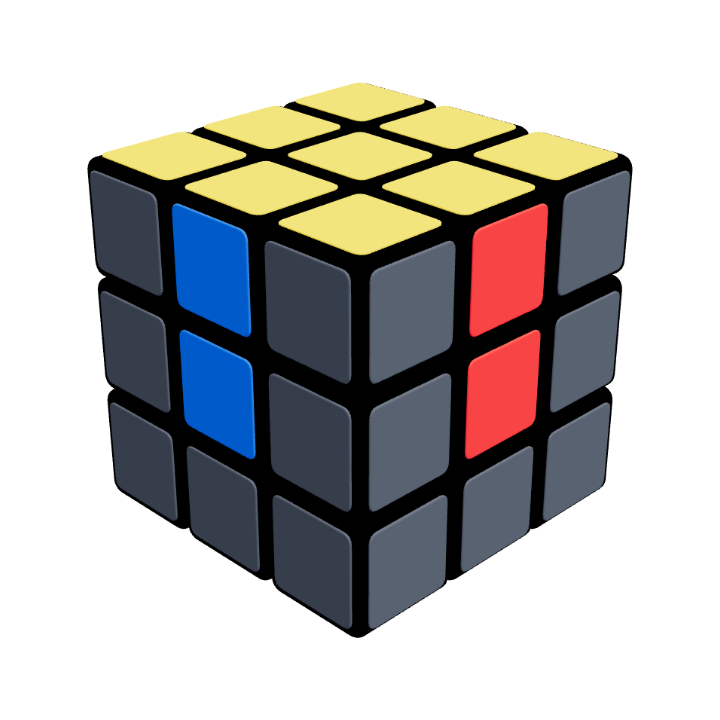
Your cube at this stage
All six faces solved
Every face is one colour. Check the back and bottom as well as the faces you can see here.
Confirm these on your cube. Watching the animation alone does not complete the lesson.
Check off each item once you can do it yourself.