
You have studied all 4×4 stages and can solve a 3×3.
Restore your chosen orientation after reduction; use white down and yellow up for the shared solve.
1. Start with a new scramble
Mix outer and wide layers so that both centers and edges need work. Use your own cube for this lesson. The player below is a review of the final edge cycle, not a solution to your particular scramble.
2. Check each stage before moving on
| Stage | Checkpoint | Review |
|---|---|---|
| Centers | Six solid blocks in the correct corner-defined order | Build centers |
| Pairing | Twelve two-wing pairs | Pair edges |
| Reduced solve | First layers, then last-layer orientation and positions | Use the 3×3 method |
| Orientation exception | One or three yellow-up groups → repair, then resume yellow cross | OLL parity |
| Position exception | Two swapped groups → repair, then finish the edge cycle | PLL parity |
Skip repairs if the corresponding case is absent. Keep the current cube state when reviewing a lesson.
3. Diagnose the earliest unfinished stage
Solid centers with mixed wings means you are still pairing. Complete grouped edges in the wrong locations means you are ready for the ordinary 3×3 solve. A group with one unmatched piece is not a complete virtual edge, even if most of the cube appears solved.
If centers are solid but color order is wrong, fix that before pairing again. Corners provide the reference a 4×4 lacks in its centers.
4. Build independence with a second solve
Finish all six faces, then choose one skill to repeat: center bars, edge setup, or reading the repair widths. On your next scramble, try that stage without replaying the worked example.
Completion means that you can identify what to do and check whether it worked. Looking up a long parity sequence is still fine.
Need a reminder of the move notation?
R right · L left · U top · D bottom · F front · B back. A plain letter is 90° clockwise looking directly at that face. An apostrophe (′) reverses it; 2 means 180°. Keep the front fixed during an algorithm.
Rw turns the rightmost two layers together. 2R turns only the second layer from the right. 3Rw turns three layers. x rotates the whole cube like R, so the old front becomes the new top.
Watch, then try
Work through an example
Use one move at a time first. This prepared case teaches a specific action; use the lesson’s setup instructions to recognize when it applies to your own scramble.
Watch one worked example
Review the last outer-turn edge cycle on a prepared 4×4. Your full exercise is a fresh scramble using the checkpoints above.
Example grip: yellow up · blue front · red right at the start. Follow any written whole-cube rotations.
0 / 11
Loading 3D cube…
Prepared position · 0 / 11 moves
Use Next move to follow the sequence.
Drag to inspect other faces. Arrow keys rotate the view when the cube is focused.
Copy this exact example on your own cube
Start with a solved 4×4, yellow up and blue front. Apply the setup below from left to right. This creates the example’s starting position. Keep this separate from the ongoing scramble you are solving through the course.
R2 U R U R' U' R' U' R' U R'Then follow the lesson sequence. If your cube’s color scheme differs, match the piece relationships using your own colors.
Compare the starting position and the result
Drag each cube to inspect its other faces.
Explain it to yourself
Check your understanding
Now use your own cube
Your turn
Scramble your cube with outer and wide turns. Build centers, pair edges, and solve the reduced cube. Use the checkpoint table to diagnose any pause.
Open a 4×4 Digital Cube for practiceOpens in a new tab so you can keep this lesson beside your practice. Check the lesson goal yourself; the Digital Cube does not grade it.
If you get stuck
I do not know whether to pair or begin the 3×3 solve.
Inspect all twelve edge groups on both faces. Every piece in each group must agree before you begin the reduced solve.
Before moving on
Check your result
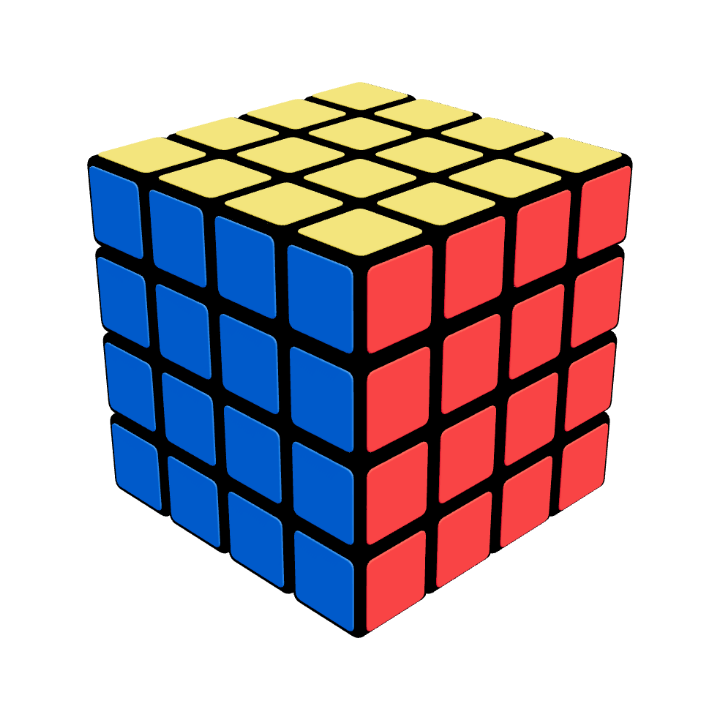
Your cube at this stage
All six faces solved
Every face is one color. Check the back and bottom as well as the faces you can see here.
Confirm these on your cube. Watching the animation alone does not complete the lesson.
Check every item when you can do it yourself.